
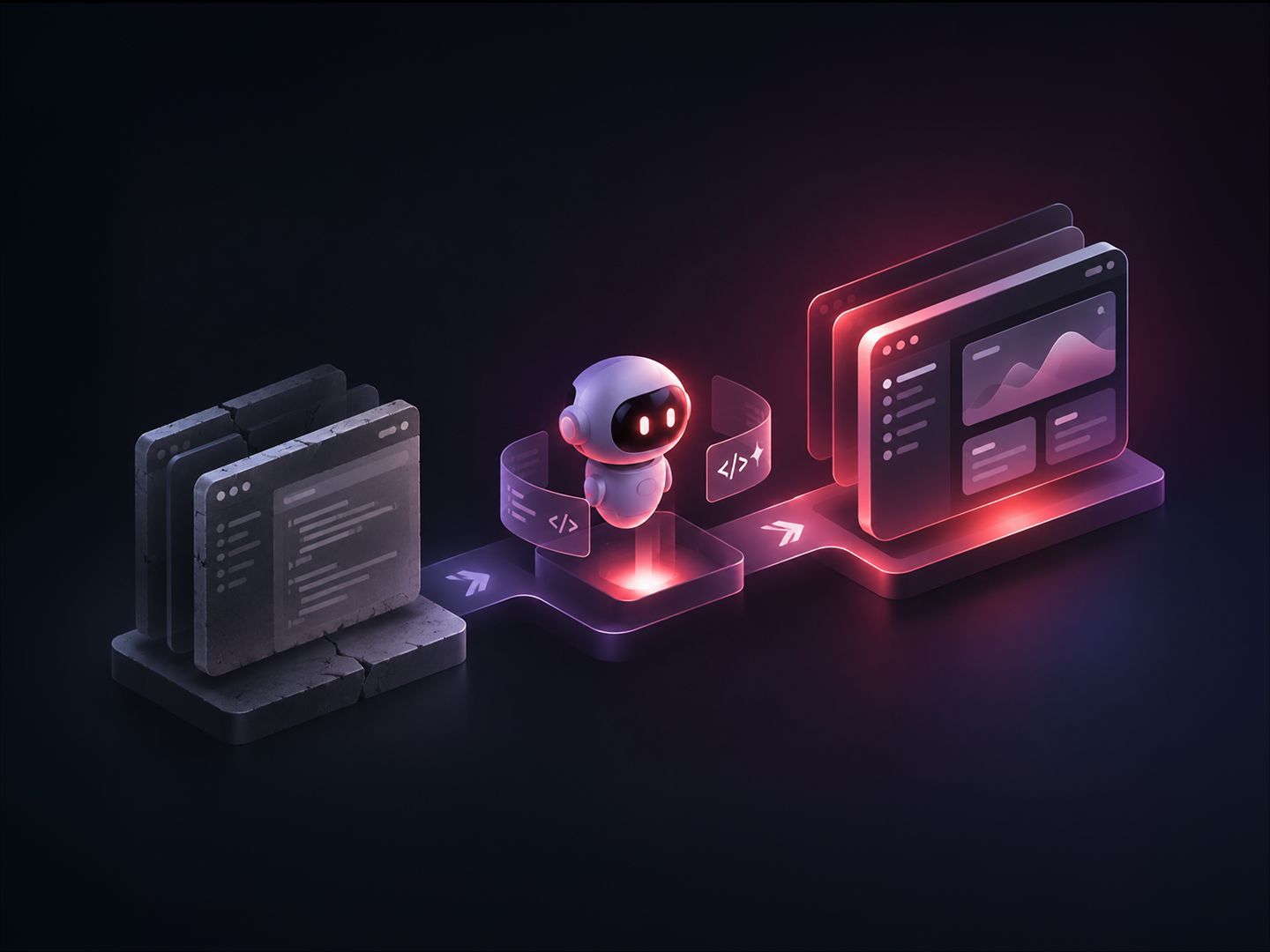

A US online legal services provider ran its order operations on an internal console built more than a decade ago. Around 470 operations staff used it every working day to process business formation and compliance orders from start to finish. The console was built on AngularJS, a framework whose vendor stopped supporting it in 2021, so it no longer received security fixes and could not be upgraded safely.
Applying our High AI-Q™ approach, we rebuilt the console in React in four weeks. A single engineer directed a team of AI coding agents while our human engineers rigorously validated the output. The new application went to production alongside the old one, and most daily users now choose the new interface.
Here is how we turned a risky, six-month rewrite into a four-week sprint.
What's in this article:
- How AI coding agents helped rebuild a 37-screen application in weeks
- Why checking the rebuilt application took more time than writing it, and how we organized that work
- How running the old and new applications side by side made the switch low-risk for users
- The results and takeaways from AI-assisted legacy application modernization
The Challenge
Normally, a security scan comes back with a list of outdated components and a newer version to update each one to. Here, the main framework had no newer version, and updating most of the other components would have broken it. Of the 34 third-party packages the application depended on, many were no longer maintained. Fewer engineers each year were willing to work on the old code.
The client had two options, and neither was acceptable:
- A full rewrite. This would take roughly six months with product development paused, followed by a risky switch-over on a single day.
- A gradual, page-by-page replacement. This carries lower risk on any one day, but requires a year or more of maintaining two applications in parallel.
Both options carried substantial engineering cost. The main difficulty was understanding eleven years of undocumented business rules and untested logic before rebuilding them. We bypassed both by using AI coding agents to read the legacy code and reproduce its behavior, adopting our High AI-Q philosophy: pairing rapid AI execution with strict human-defined guardrails.
Our High AI-Q Approach
1. Defining the Coding Rules Before Development
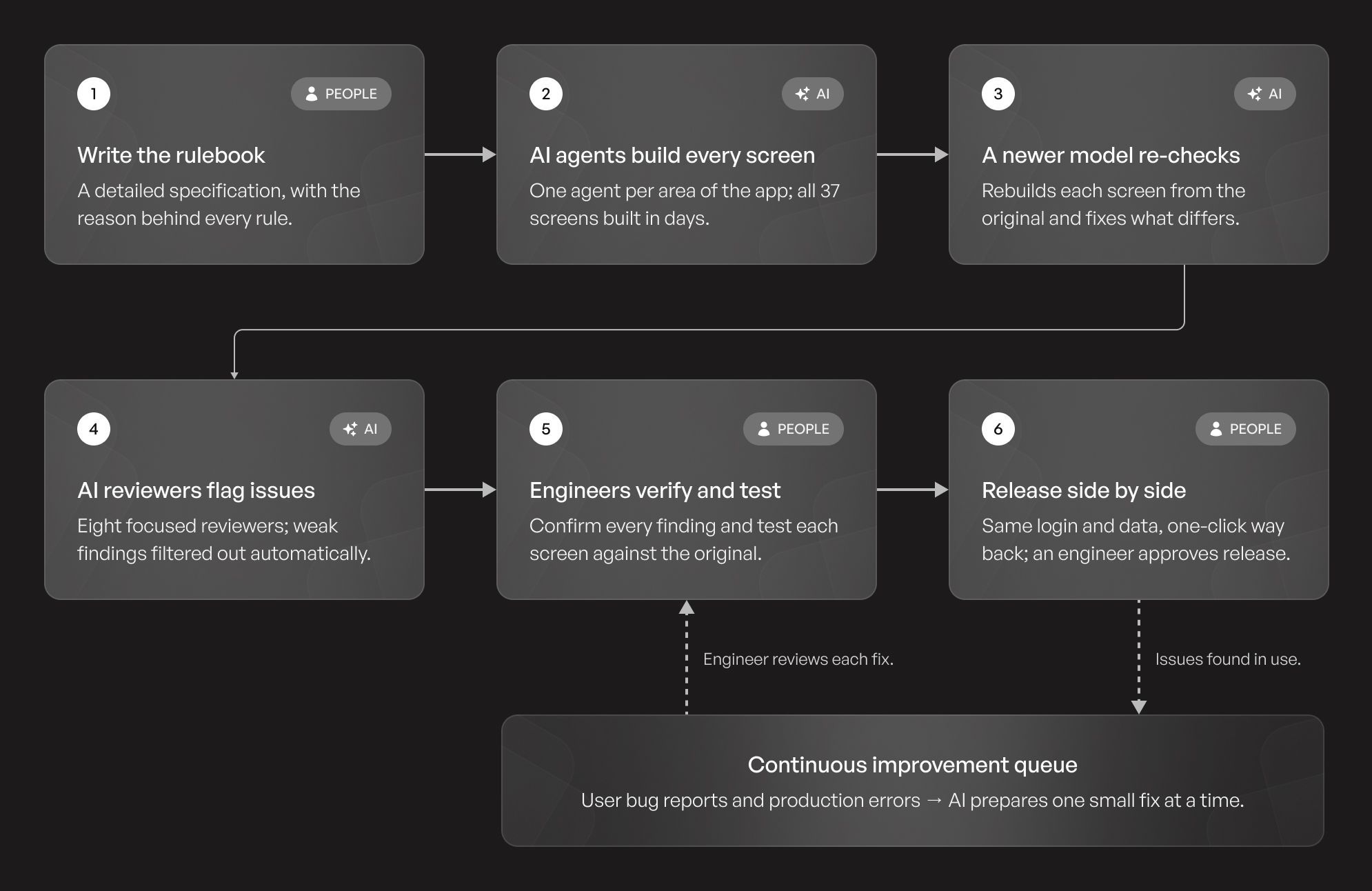
Before rebuilding any screen, we created a detailed specification for the new application. It listed which old screens map to which new ones, how the project is organized, which shared components must be reused, and how errors must be shown to users.
Every rule came with a reason. For example, simply instructing an agent to use a shared date helper might not be enough. Explaining that dates could otherwise display a day early for US users gave the instruction a clear purpose. The same document later became the checklist for reviewing the agents' work.
2. Building Screens in Parallel with AI Coding Agents
We built the shared foundation by hand first: navigation, sign-in, the connection to the backend, and common screen components. Then each AI agent was given one area of the application, the matching legacy code and the specification, with one instruction: rebuild this exactly; don't improve it. Because no two agents worked on the same files, their work never conflicted. This parallel approach produced the first version of all 37 screens within days. For this build, we used Claude Sonnet, which is fast and cost-effective enough to run across every screen at once.
3. Automating Verification
A first version that looks finished isn't necessarily correct. Every screen, table, and form was in place and working, but the finer business logic buried in the original code was easy to miss. So before any engineer reviewed the work, we ran a dedicated verification pass with Claude Opus, Anthropic's more capable model, which is better at reading old code closely and reasoning about what it actually does. We asked it to rebuild each screen again from the original code, compare the result with the first version, and report every difference in behavior.
This pass caught critical flaws:
- One section of a form never appeared for a certain type of customer, so the information it collected was never saved.
- Empty dates appeared as "1899" instead of staying blank.
- Logging out did not actually end the user's session.
- Some Save buttons failed without displaying an error, leaving users unaware that their changes had not been saved.
Claude fixed these in the same pass, and engineers reviewed every change before it was accepted, as described in the next section. Each of these issues would otherwise have reached production as a support ticket.
4. Combining AI Reviews with Engineer-Led Testing
We needed a systematic way to assess the rebuilt application. Asking one AI to review everything would produce vague feedback, so we deployed eight specialized AI reviewers instead. Each focused on a specific concern, such as missing functionality, duplicated code, or unnecessary server calls. A final AI review then checked the findings against the actual code, assigned confidence scores, and discarded the weak ones before any engineer read them.
The findings were substantial. A full comparison of the new application against the original identified about 90 differences:
- 19 critical issues, where saving would have sent incorrect data. Examples included order notes failing to save without an error, a package price being omitted from an order total, and a check being recorded twice.
- 19 missing features that existed in the original but had not been carried over.
- 29 smaller differences in validation rules or in the data being saved.
- About 20 minor issues, mostly cosmetic.
AI agents wrote the fixes. Engineers confirmed each finding against the original application first, discarded the ones that turned out to be wrong, and reviewed every fix before it was merged.
Next came hands-on testing. Seven engineers split the screens between them, weighted by complexity rather than count, so a detail page with nine tabs counted as much as six simple list pages.
Each engineer worked through their screens side by side with the original application and logged differences in a shared channel. They reported layout changes as well as errors, because a rearranged screen slows down an experienced operator as much as a broken one. That feedback led to a firm rule for the rest of the project: every button and field stays where users expect it.
Two QA engineers then ran a final pass across the whole application before release, confirming every fix and checking that nothing else had broken.
5. Releasing Alongside the Original and Measuring Adoption
The new application was released next to the old one, with the same login and data. Users could return to the classic interface with one click. Automation handled the deployment through staging, but an engineer had to approve the release before it reached production.
Both applications were instrumented to record which interface each user worked in, which screens they visited, and where errors happened. This provided a consistent view of usage and helped the team assess adoption based on actual behavior.
Production errors and user-reported bugs go to a single queue. A scheduled AI agent picks issues from that queue and prepares a fix for each as a separate, small change. An engineer reviews and approves every fix before it is released.
Results: 37 Screens Delivered in Four Weeks
- Unprecedented Speed: One engineer directed the AI-assisted rebuild, completing work that would conventionally have taken about six months. Product development continued throughout the project.
- Organic Adoption: Recent usage data shows that most daily operators now work in the new interface, even though the original is still available.
- Modernized Stack: All 37 screens now run on a modern, supported technology stack. This removed the dependency on an end-of-life framework and its outdated packages.
- Zero Disruption: The new application runs alongside the original, so users can switch at their own pace without a forced cutover.
- Continuous Improvement: Production monitoring and a structured bug-fix process allow the application to keep evolving through small, controlled releases.
Key Takeaways from the Migration
If you are planning an AI-assisted modernization, these practices will ease the transition:
- Document visual rules upfront. Business rules alone are not enough. Spacing, fonts, colors, table layouts, and button placement should be specified as well, so AI agents build every screen the same way and the result can be checked automatically rather than by eye.
- Add a UI verification agent from day one. An AI agent can open the old and new applications side by side, visit every screen and tab, confirm each one actually loads, and compare layouts against the visual rules. This catches problems unit tests cannot.
- Treat forms as the highest-risk area. Make an inventory of every input field before migrating: its format (dates, phone numbers, amounts), validation rules, and the data it sends when saved. Then have an agent check each field against the original. Almost a third of the differences we found were in validation or saved data.
- Build shared components first. If you don't build the foundation first, parallel agents will generate redundant, conflicting versions of the same components.
- Match AI models to the task. Use fast, cost-effective models for volume building and advanced reasoning models for complex verification.
- Establish baseline metrics. Track usage and errors on the legacy system early to accurately measure the new application's impact.
- Empower users. A parallel production release with a simple way to switch back gives users time to adapt. Usage data can help the team assess adoption and identify areas that need attention before retiring the old application.
Ready to modernize your own legacy systems? Explore QBurst's High AI-Q approach to legacy modernization to see how our engineering teams combine rapid AI execution with careful human review to rebuild complex applications quickly and safely.